
When we first put Propper for Salesforce into beta, the goal was simple: get eSignature into the place sales actually works. We hit that. The setup experience around it, less so. So we went back and rebuilt it end to end.
This is the short version of what changed, and where the refreshed docs live: a follow-up to the original launch post.
A Setup Wizard that earns the name
The old wizard asked you to paste an API Client ID and Secret, buried a few steps, and then showed a "complete" screen whether or not it actually was. The refreshed wizard walks nine clear steps and is honest about each one:
- Welcome
- Permissions (admin and standard users, with a one-click "add myself")
- Connect to Propper (OAuth, no API keys to copy)
- Add to Record Pages (optional; a Quick Action works too)
- Send Configuration Setup (object, template, recipients)
- Post-Signature Progression (optional)
- Agent Add-On (optional Salesforce Agentforce)
- Activate Flows
- Complete (a real summary of what is and is not configured)
The biggest practical change: you connect with OAuth. There are no credentials to generate, copy, or rotate. You click Connect, authorize, and the wizard wires up the secure connection for you.
Send Configurations, not "Workflows"
The old "Workflow" step collided, conceptually and by name, with Salesforce's own record-triggered Flows. It is now Send Configuration Setup: you pick the object, the template, and the recipients, and the wizard records it so the automation knows what to send. Clearer name, clearer mental model.
Sign and Gen, both in the beta
The beta is no longer Sign-only. Propper® Sign (eSignature) and Propper® Gen (document generation from templates) are both available, with an optional Salesforce Agentforce add-on for sending and checking status from a conversational agent. Core Sign and Gen work whether or not you turn the agent on.
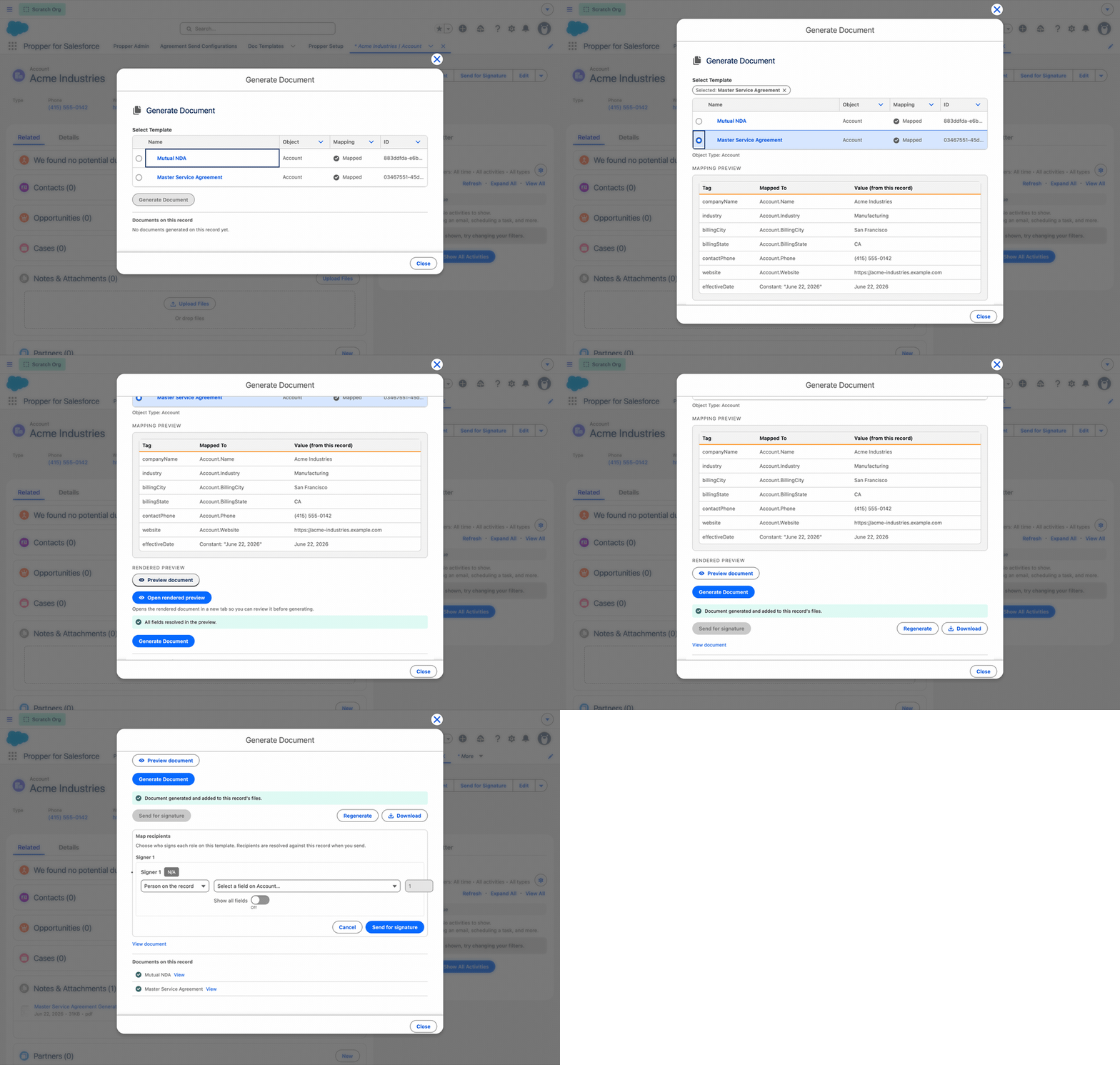
With Gen, you generate a document from a template right on the record you are already on: open an Account (or Contact, Lead, Opportunity, or Case), click Generate Document, pick a template, and the record's data merges in. Preview the rendered document, then generate, and the finished PDF is saved to the record's Files. If the template carries signature fields, you can send it for signature in the same step. The setup guide has a full walkthrough with screenshots.
A completion step that tells the truth
The final step now shows a per-step summary: what is done, what is optional and skipped, and what is still required before you go live. No more "all set" banner over a half-finished setup.
Where to go next
- Overview and install: /salesforce-beta
- Full setup guide: Propper for Salesforce Beta Setup Guide
- Quick reference: Quick Setup Reference
- Feature guide: Propper for Salesforce Beta
If you set Propper for Salesforce up during the early beta, it is worth a fresh look. The product you send agreements with is the same; getting there is a lot less work.